
What is Power BI and why is it important for data-driven businesses? Power BI is a business analytics tool by Microsoft used to visualize and analyze data.
What Is Power BI?
Power BI is a Microsoft business intelligence and data visualization platform that helps businesses analyze data, create interactive dashboards, generate reports, and make data-driven decisions using real-time insights.
Businesses are always seeking efficient ways to visualize and interpret their data in today’s data-driven world. Enter power BI, a transformative data visualization tool developed by Microsoft. This article will delve into Power BI’s features and benefits, showcasing how it can empower you to turn your business data into actionable insights.
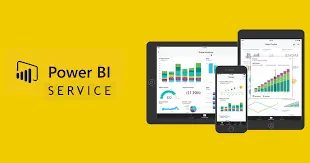
How Power BI Works
Power BI is a set of software, apps and connectors that combine to transform unrelated data into interactive, visual and immersive insights. Power BI allows you to connect easily with your data, whether it’s an Excel spreadsheet, a hybrid cloud, or an on-premises data warehouse. You can then visualize, discover, and share the most important information.
Key Components of Power BI
Power BI consists of a number of components that allow for a robust experience in data analysis:
Power BI Desktop is a downloadable application that allows users to connect, transform and visualize data. It is a primary tool for creating data models and reports.
Power BI Service
A cloud-based platform where users can collaborate and manage their reports and data.
Power BI Mobile:
Mobile applications for iOS, Android and Windows devices that allow users to interact with reports and data on the move.
Power BI Report Builder
This tool allows you to create paginated reports that can be printed or shared in PDF format.
Power BI Report Server
An on-premises server for storing and managing your reports and data.
How Does Power BI Work?
Power BI is divided into three major steps:
Data Connection and Integration
Power BI can connect to a variety of data sources, ranging from simple Excel spreadsheets to complex databases, as well as online services such as Google Analytics, Salesforce and Microsoft Azure. It can combine data from different sources into one dashboard.
Power Query and Data Transformation
Allows users to clean, merge and shape data according to their requirements. This step will enable you to sort, filter and transform your data into usable formats.
Data Visualization and Reporting
Power BI provides a wide range of data visualization tools, including bar charts, pie graphs, line graphs and maps. These visuals can help you identify trends, patterns and outliers in your data.
Benefits of Power BI for Businesses
Businesses looking to improve digital performance and reporting can also explore our digital marketing services for SEO analytics, reporting, automation, and business growth strategies.
Power BI is a powerful tool for business intelligence and data visualization.
With its drag-and-drop user interface and intuitive design, Power BI ensures a stress-free experience for both beginners and professionals. It’s a breeze to create stunning dashboards and reports, making data visualization a comfortable task for all.
Scalability and Flexibility
Power BI is scalable to meet the needs of your business. It can accommodate small businesses and large enterprises, even those with huge datasets.
Real-Time Data Analysis
Power BI’s real-time data analysis provides companies with up-to-date insights to help them make better decisions.
Collaboration and Report Sharing
You can share dashboards and reports with your team to enable collaborative decision-making.
Power BI is not just a powerful tool, it’s also budget-friendly. With free and affordable versions available, it’s a cost-effective solution for businesses of any size, providing reassurance that you can harness the power of data without breaking the bank.
Use Cases for Power BI
Power BI can be used in a wide range of industries and to meet a number of data visualization needs.
Power BI for Finance
Monitor important financial metrics, visualize your cash flow, and forecast revenue.
Power BI for Marketing Analytics
Analyze customer data, track campaign performance, and monitor website analytics.
Power BI for Sales Reporting
Track conversion rates and evaluate sales pipelines.
Power BI for Operations Management
Optimize supply chain processes, monitor inventories, and track project performances.
Getting started with Power BI
According to Microsoft Power BI documentation , Power BI helps organizations transform raw business data into actionable insights through interactive dashboards and analytics tools.
Power BI Desktop
Power BI Desktop can be downloaded from Microsoft’s official website. You can learn more about the tool by using online courses and tutorials. Connect to a DataSource and experiment with the various visualization options before creating your first report.
PowerBI vs. other BI tools
Power BI is a leader in the field of business intelligence, but it’s important to compare it to other tools like Tableau, Qlik, and Google Data Studio. Each tool has its unique features and benefits, so it’s essential to evaluate which one will work best for your company. Power BI stands out for its user-friendly interface, seamless integration with Microsoft products, and affordability.
Frequently Asked Questions (FAQs)
Below are some of the most common questions businesses and beginners ask about Power BI, data visualization, business intelligence tools, and reporting analytics.
What is Power BI used for?
Power BI is used for data visualization, business intelligence reporting, dashboard creation, real-time analytics, and transforming raw business data into actionable insights for better decision-making.
Is Power BI free?
Yes. Microsoft offers a free version of Power BI with basic reporting and visualization features. Advanced collaboration, cloud sharing, and enterprise-level capabilities are available through Power BI Pro and Premium plans.
Can beginners learn Power BI?
Yes. Power BI is beginner-friendly and provides an intuitive drag-and-drop interface that allows users to create dashboards, reports, and data visualizations without advanced programming knowledge.
What are the benefits of Power BI?
Power BI helps businesses improve reporting, visualize complex data, automate dashboards, monitor performance metrics, support real-time analytics, and make data-driven business decisions more efficiently.
Is Power BI better than Excel?
Power BI is more advanced than Excel for large-scale data visualization, interactive dashboards, automation, and real-time reporting. Excel remains useful for spreadsheet analysis and smaller data management tasks.
Does Power BI support real-time data?
Yes. Power BI supports real-time data monitoring and live dashboard updates, allowing businesses to track performance metrics, operational data, and analytics instantly.
What industries use Power BI?
Power BI is widely used across industries including finance, healthcare, marketing, retail, manufacturing, education, logistics, sales, and operations management for business analytics and reporting.
Can Power BI connect to multiple data sources?
Yes. Power BI can connect to multiple data sources including Excel files, SQL databases, cloud platforms, Google Analytics, Salesforce, Microsoft Azure, APIs, and other business applications.

About The Author
Prabhakar J
About the Author: Prabhakar J is a digital marketing specialist with expertise in SEO, PPC, and website development. He has helped businesses across the USA improve online visibility, generate qualified leads, and achieve long-term growth through data-driven strategies.
Conclusion
Power BI can be a valuable tool for companies that want to use their data to make better decisions. Power BI’s robust features, seamless integration abilities, and affordable price make it ideal for businesses of any size. Power BI is the perfect tool for anyone who wants to make confident data-driven decisions, whether they are new to data visualization.